The Ultimate Toolkit for Professional Camera Workflow in Blender: Camera Manager
Updated: 25 december 2025 – Version 2.5 - compatible with Blender 5.0
What if you could:
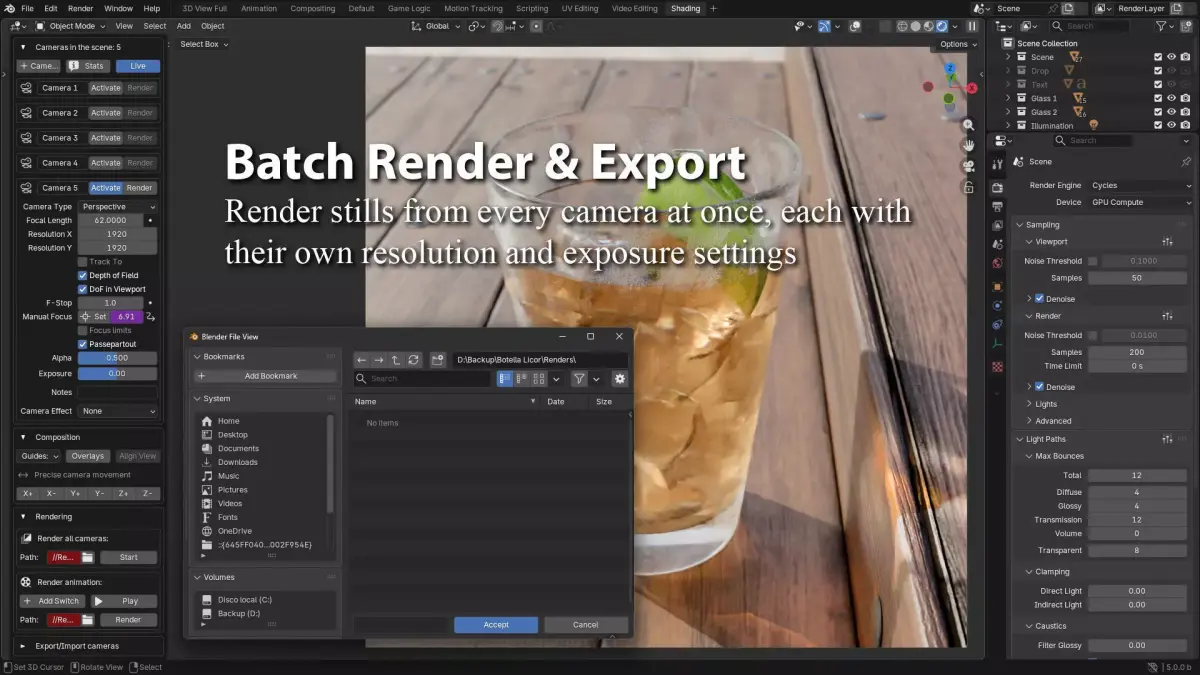
Render all cameras in your scene with one click
Create cinematic effects like Dolly Zoom and Orbital Tracking without animation skills
Manage complex multi-camera animations with an intuitive timeline
Save hours per project on camera setup and management
You can access the pie menu to quickly switch cameras using the shortcut (Shift + V)
Introducing Camera Manager 2.5 - The professional-grade solution that transforms Blender's camera workflow from frustrating to fantastic.
PROFESSIONAL FEATURES BREAKDOWN
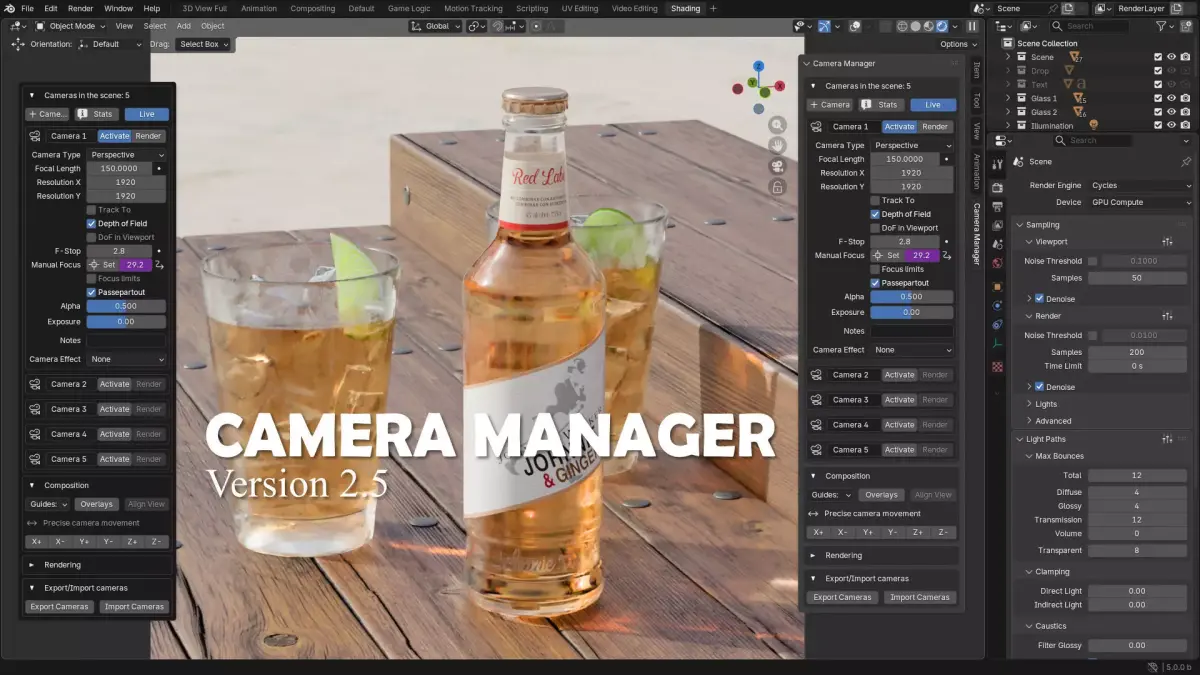
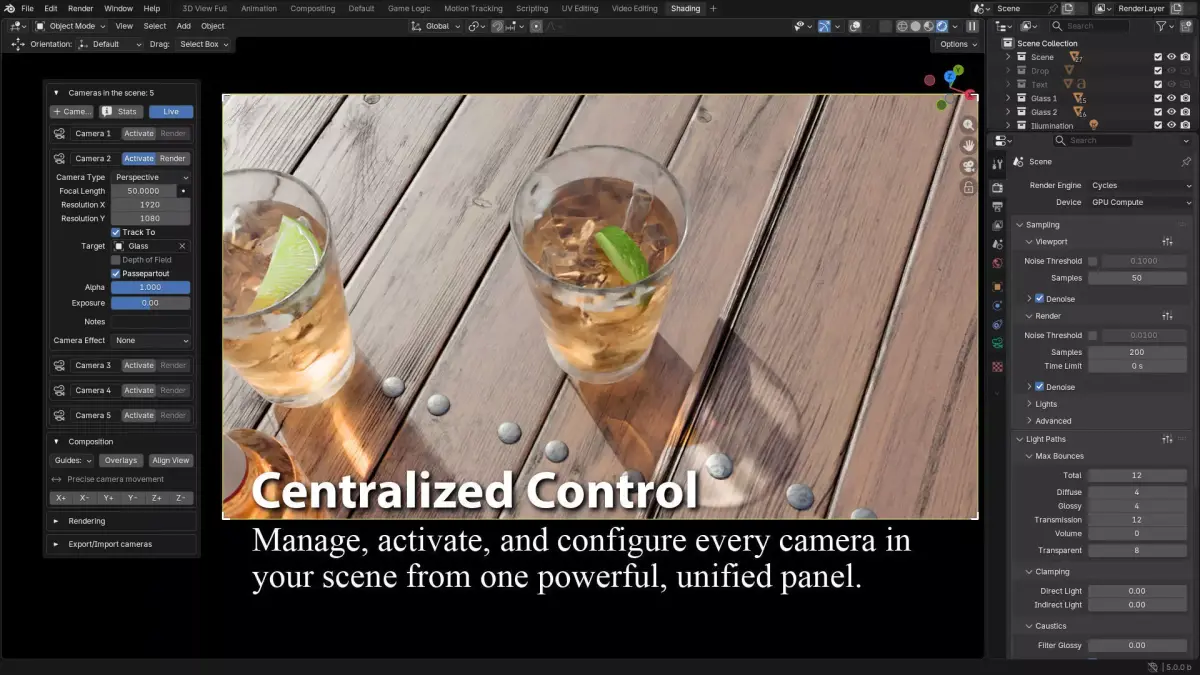
- CENTRALIZED CAMERA CONTROL PANEL
Stop the Outliner Hunt - Everything in One Place
Unified Dashboard: All cameras visible and organized
One-Click Activation: Switch views instantly
Smart Sorting: Automatic organization by name/index
Quick Render: Render directly from panel without view switching
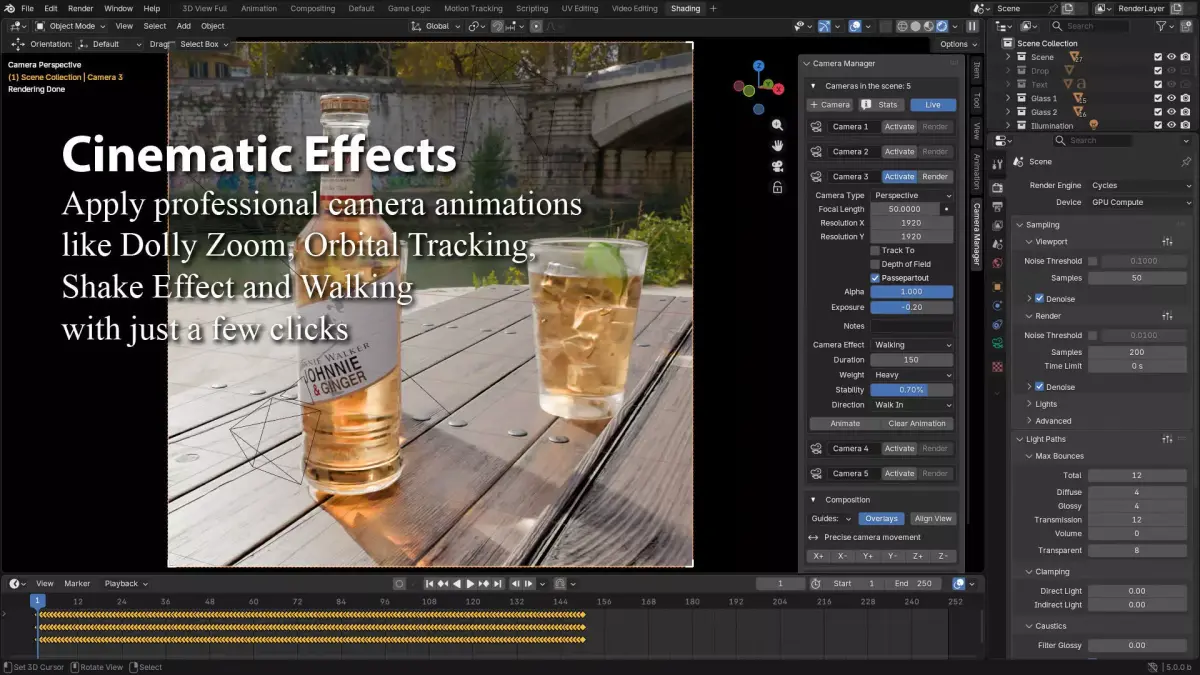
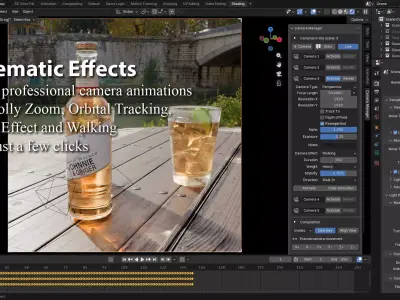
- HOLLYWOOD CINEMATIC EFFECTS
Create Professional Animations Without Animation Skills
Dolly Zoom (Vertigo Effect), iconic Hitchcock-style effect
Adjustable strength parameter
Perfect timing every time
No manual keyframing required
Orbital Tracking, smooth professional orbits
Target any object in scene
Adjustable speed and radius
Perfect for product shots
Camera Shake, realistic handheld simulation
Customizable intensity
Impact/earthquake effects
Add drama instantly
Walking Motion Simulator, adjustable camera weight (Light/Medium/Heavy)
Operator stability control (0-100%)
Walk in/Walk out direction
Perfect for POV shots
- SMART RENDERING PIPELINE
Transform Your Rendering Workflow
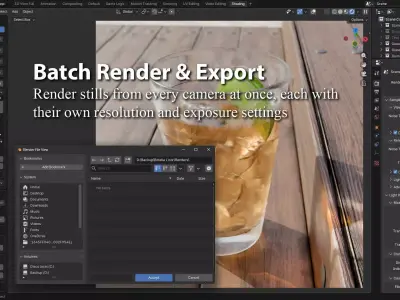
Render All Cameras
One click > All cameras rendered
Each uses its own resolution/exposure
Automatic file naming
Batch processing while you work
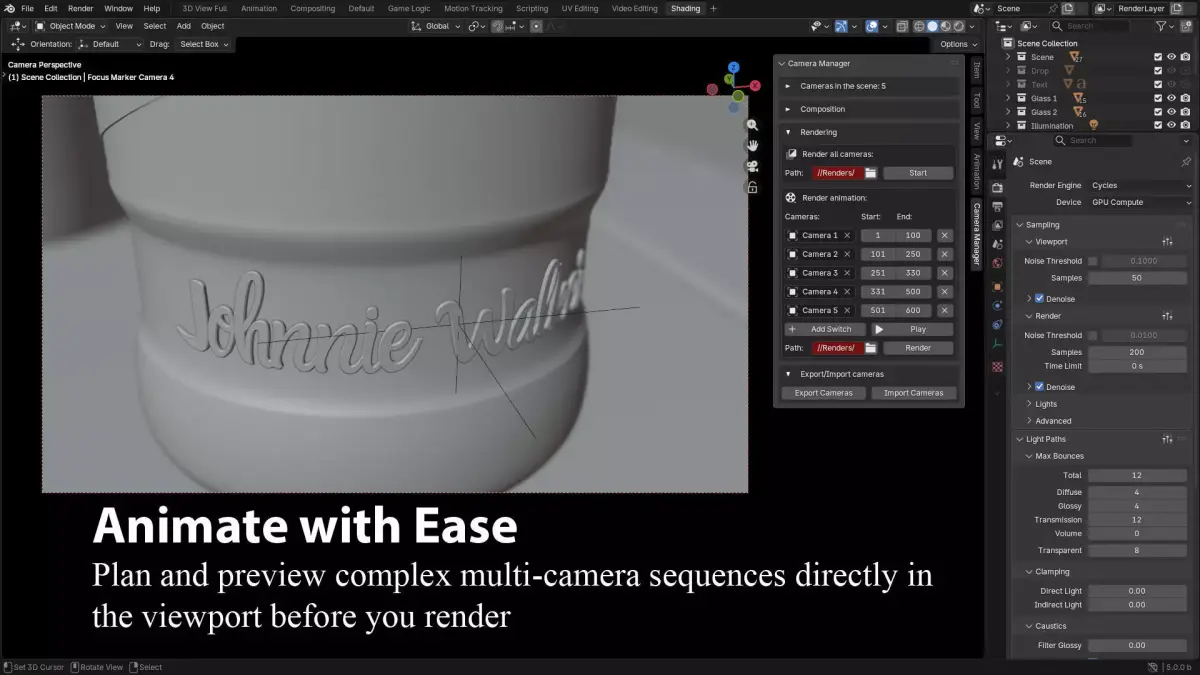
Advanced Camera Switching
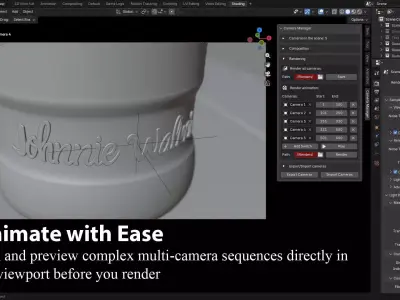
Timeline-based camera planning
Visual frame range editing
Live preview in viewport
Render complete animations automatically
- PROFESSIONAL COMPOSITION TOOLS
- Frame Like a Master Cinematographer
8 Industry-Standard Guides:
Rule of Thirds - Classic cinematic framing
Golden Ratio - Artistic perfection
Center Guide - Symmetry and balance
Diagonal Guide - Dynamic compositions
Golden Triangle A/B - Advanced framing
Harmony Triangle A/B - Professional layouts
Precision Movement Tools:
Nudge camera with exact increments
All axes (X+/X-, Y+/Y-, Z+/Z-)
Pixel-perfect adjustments
No more guesswork
- ADVANCED FOCUS SYSTEM
Professional Focus Control Made Simple
Interactive Focus Tool: Click anywhere in 3D view to set focus
Visual markers show focus points
Auto-hide from final render
Animate focus with one click
DOF Management: Per-camera DOF settings
Viewport toggle (on/off)
F-stop control from panel
Focus distance keyframing
- PROJECT MANAGEMENT & COLLABORATION
Professional-Grade File Management
Export/Import System: Save entire camera setups to JSON
Share with team members
Reuse across projects
Backup your shot configurations
Per-Camera Configuration: Individual resolution per camera
Custom exposure values
Notes field for each camera
All settings auto-apply when activated
CAMERA ANIMATION EFFECTS:
Dolly Zoom
Orbital Tracking
Shake Effect Walking
SEAMLESS INTEGRATION
Access the addon directly from the Camera Manager tab (press N in the 3D Viewport), or quickly open it via Ctrl + Left Click on the Viewport.
Built for efficiency, Camera Manager works out-of-the-box and is compatible with Blender 4.3X and above.
RELEASE NOTES:
Version 2.5– 25/12/2025
- Pie menu added (press: Shift + V) for quickly switching cameras.
Version 2.4– 27/10/2025
Version 2.2 – 20/09/2025
Added new feature: Track To, a per-camera toggle to lock onto any object.
New camera animation: Walking
Improved animation workflow stability.
Version 2.1– 20/08/2025
Version 2.0 – 19/07/2025
Version 1.9– 12/02/2025
Addednew feature: Camera effect, that includes Dolly Zoom, Orbital Tracking andShake Effect.
Addednew feature: Render animation, select the frame from to and then the path tosaver all your renders.
Bugfixes.
Version 1.8– 27/01/2025
Version 1.7– 15/12/2024
Version 1.6 – 19/11/2024
- Compatible with Blender 4.3.
Version 1.5 – 10/10/2024
Camera type selection has been added.
Each camera now has its own exposure value.
An information field has been added where statistics for all cameras in the scene are displayed.
Version 1.4 – 03/09/2024
Render all cameras are now fixed, the renders will be appear in the window 3D Viewport one by one.
The function Target now it is optimized for a better result.
Version 1.3 – 31/08/2024
Version 1.2 – 08/07/2024
Version 1.1 – 23/06/2024
New function added, button: Add Camera to View.
Now the cameras sort by name in the addon.
Code optimization.
Added a validation in case a camera is selected that is in a non-active collector.
Version 1.0 – 26/06/2024
Added the Render button.
Now when one camera is activated the button Activated is highlight.
Added visual aids to see where the Target is when using Manual Focus and these aids are saved in a separate Collection called Focus Marker.
Version 0.9 – 13/06/2024
Re organization of the buttons for the camera option.
Added a new function called Manual Focus, now you can get focus of your camera just with one click.
Code optimization.
Version 0.8 – 6/06/2024
Fixed bugs in the 3D Viewport with multiple windows open in the same screen.
Added: Rule of Thirds, Overlays and Live View.
Reorganization of the properties in the addon.
Code optimization.
Control exposure when the Live View is on.
Version 0.6 – 31/05/2024
Initial release of the add-on.
Basic camera management.
DOF and focal length settings.
Thirds Composition Guide.
Precise camera movement.
PDF (PDF, filesize: 850 KB), PY (Python Script, filesize: 22.7 KB)