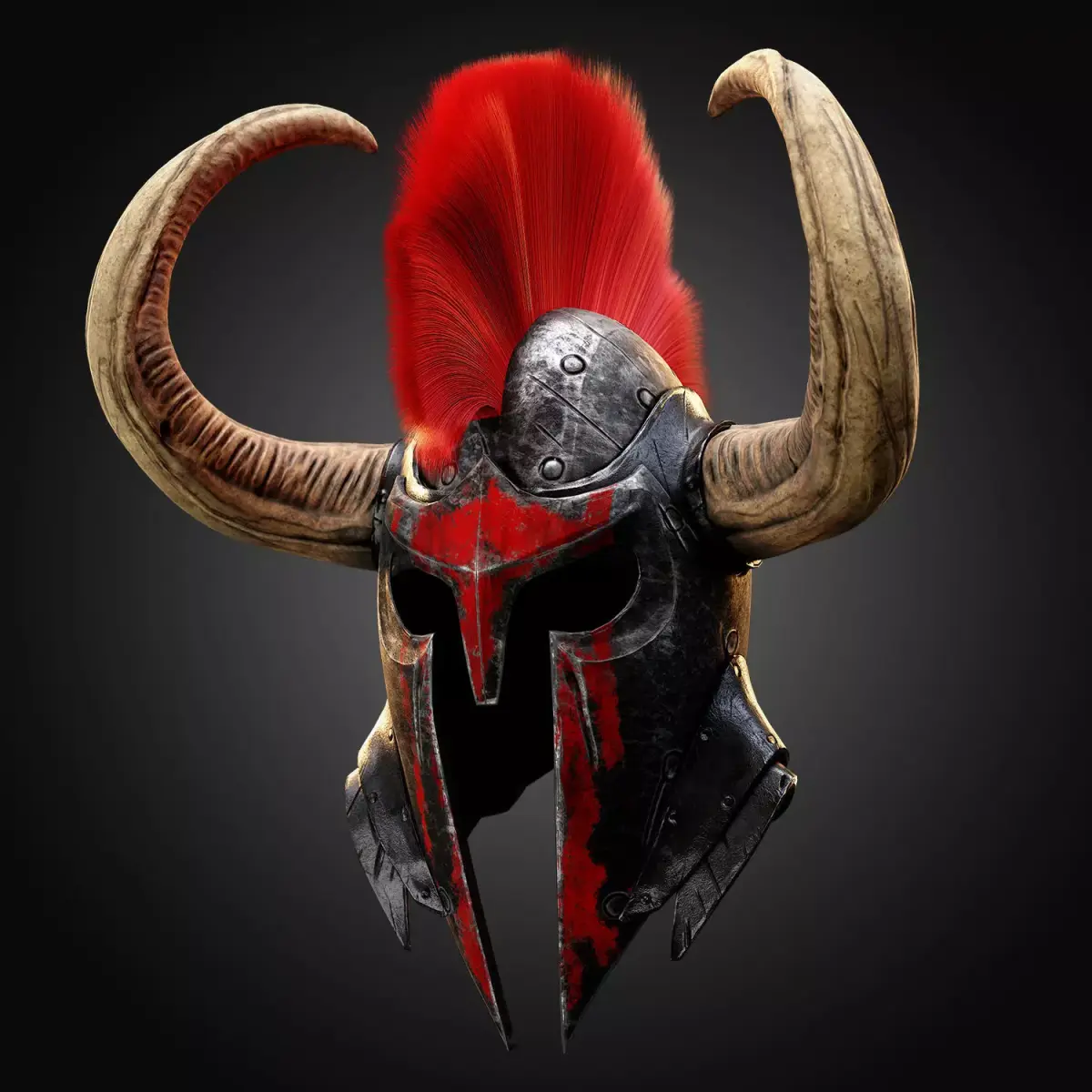
In the first part, in Zbrush, we did the details for our model, and now we have to prepare for the texturing stage. At this stage, the choice is with you to project the base mesh on the High-poly model to almost take the form of High-Poly models, or continue with the same Base-Mesh model with the original form.You can find these base meshes 50 Warrior Helmet Base Mesh - VOL 01 ( Game Ready ) Now in the second part, after this decision, we go to Substance Pinter for baking operation. Each texturing project should has its categories and good masking before start texturing process. with this you can increase your speed of work. In addition, having a proper library of smart materials will greatly affect the speed and quality of your output. In this tutorial, I also use my own materials, which you can find them here : https://www.artstation.com/a/26386
In this tutorial, Warrior base mesh have been used : https://www.artstation.com/a/10378524
And finally, by editing the some layers, I reach my desired result. Finally, I rendered in marmoset toolbag. Thank you for joining us on this journey. I hope you have learned new things along the way.
PNG (PNG, filesize: 340 MB), FBX (Autodesk FBX, filesize: 340 MB)