
Publication date: 2019-01-24
Buy PolyDetail - Ornament Plugin for 3dsMax 3D model
$59
License: Royalty Free
Rigged
PBR
Realtime
Animated
Free
author:
batuhanozer52
Renders and source materials belong to the author batuhanozer52.
Specifications
- Platform
- cgtrader
- Animated
- Rigged
- 3D Print ready
- VR / AR / Low-poly
- PBR
- Textures
- Materials
- UV Mapping
- Polygons
- 0
- Vertices
- 0
- Geometry
- Unknown
- Plugins used
Usage recommendations
Realtime rendering
✕
PC Game development
✕
Mobile Game Development
✕
VR/AR applications
✕
Visualisation
✓
Cinema
✓
Advertising
✓
3D Printing
✕
CAD Engineering
✕
E-Commerce & Interactive 3D Web
✕
FAQ
Is this a free 3D model?
No, this model costs $59.
How do I download this 3D model?
This model is available through the "Go to purchase" button on this page.
What license applies to this model?
The Royalty Free license applies to this model. More details are available via the "Go to purchase" button.
Does it include rigging and animation?
This model has no rig or animation. It is a static 3D object.
Does this model have UV mapping?
No, this model does not have UV mapping.
What textures and materials does this 3D model include?
This model has no textures or materials.
Can I use it for 3D printing?
No, this model is not intended for 3D printing.
Additional information
PolyDetail | Ornament plugin for 3dsMax
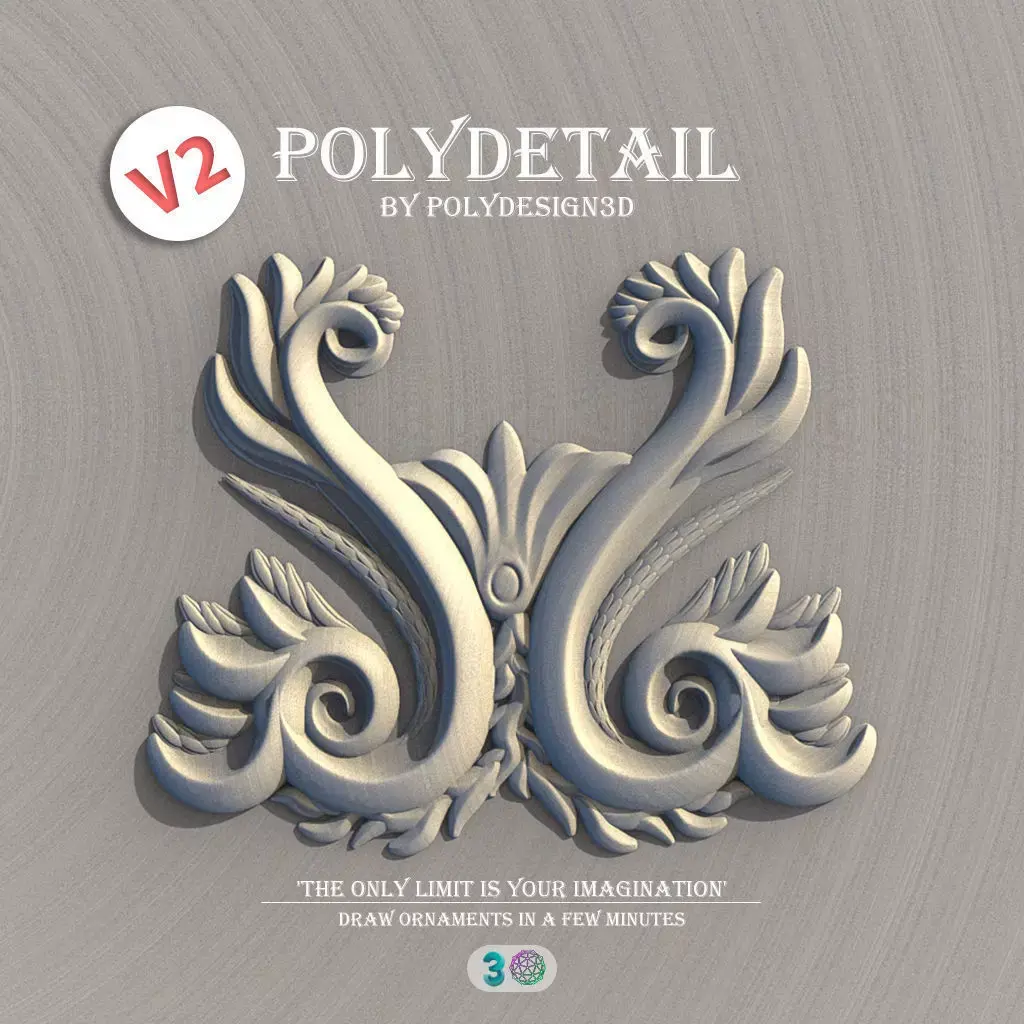
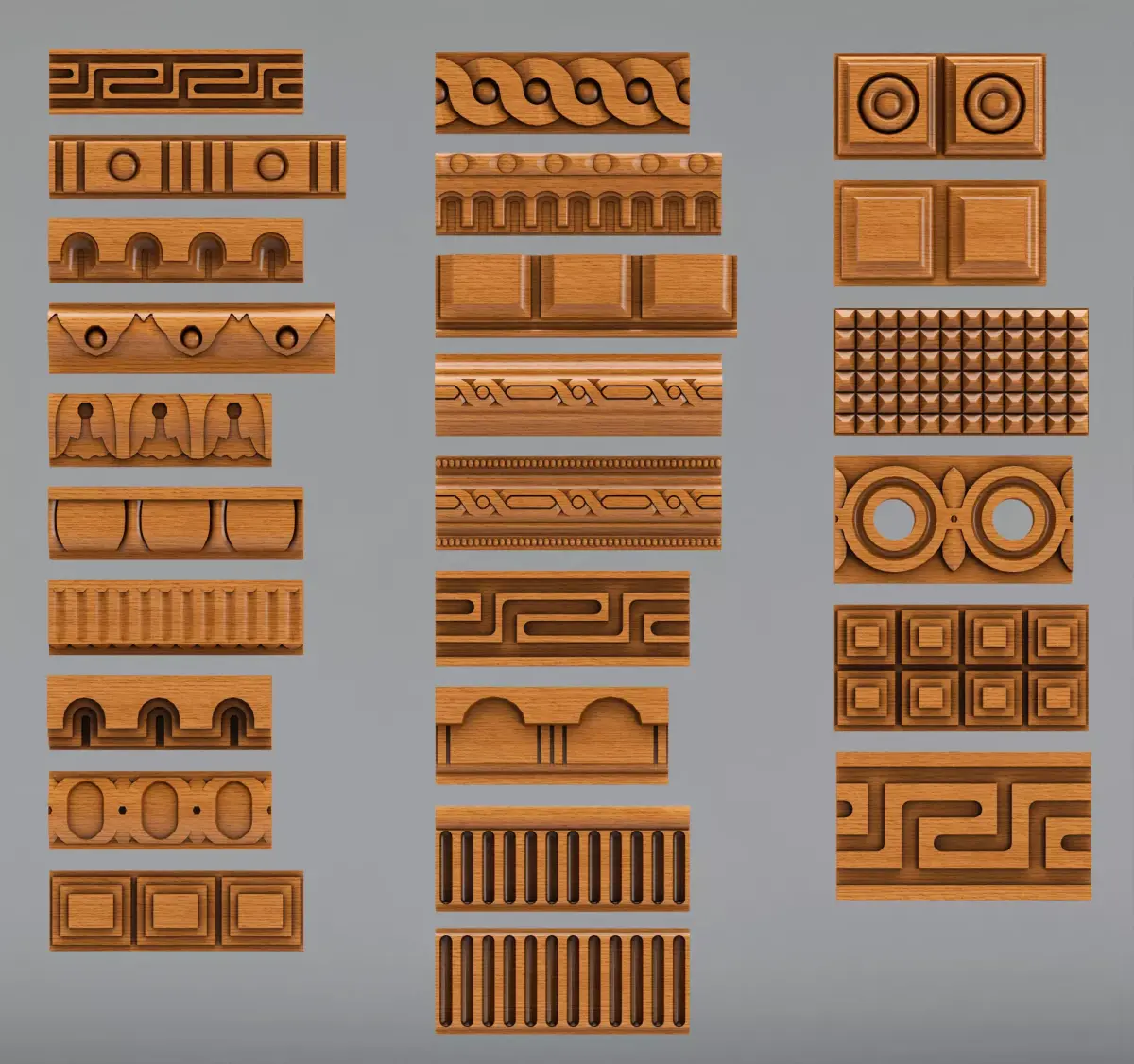
PolyDetail is a 3dsMax plugin that helps you to quickly draw nice ornamnets with a mouse brush.
Ornaments are one of the most time consuming things in 3d modelling. With PolyDetail you can create a large variety of ornaments in a few minutes.
Product geometry is in polygonal format so you can easily adjust it with standart modelling tools.
With 12 default ornament brushes you can easily create cool looking ornaments or if you want you can add your own custom brushes for a large variety.
Rotation and twist settings helps you achieve interesting details with minimal effort.
PolyDetail also works with curved surfaces.
3dsMax 2016 and upper is recommended.
Boost your models with ornaments.
Everyone can draw nice ornament details for their models.
What's new in V2 ?
New features:
SmoothStoke for clean strokes
Canvas for quickly sketching on a planar surface.
Added X,Y,Z Symmetry
Custom splines can be selected now for precision.
Added Turbosmooth with isoline display option.
UI improvements:
Added bulge value spinner
Added brush size spinner
Added SmoothStoke spinner
Added Turbosmooth enabled and isoline display options
Added x,y,z, symmetry feature
Added Custom path button
Added a button for canvas creation.
Bug fixes
Fixed turbosmooth problem when attaching the objects with isoline display selected.
Technical improvements and other bug fixes.
What's new in V2.2
Added support for 3dsMax 2022, 2023 and 2024
What's new in V2.3
Fixed saving problem when not running 3dsMax as admin.
Custom objects now goes to a new independent directory, accessible from extras tab in user interface.
Bug fixes.
All updates are cumulative so when you install polydetail for first time, only download & install the latest version available.
The only limit is your imagination.
Stay Creative :)
PolyDetail is a 3dsMax plugin that helps you to quickly draw nice ornamnets with a mouse brush.
Ornaments are one of the most time consuming things in 3d modelling. With PolyDetail you can create a large variety of ornaments in a few minutes.
Product geometry is in polygonal format so you can easily adjust it with standart modelling tools.
With 12 default ornament brushes you can easily create cool looking ornaments or if you want you can add your own custom brushes for a large variety.
Rotation and twist settings helps you achieve interesting details with minimal effort.
PolyDetail also works with curved surfaces.
3dsMax 2016 and upper is recommended.
Boost your models with ornaments.
Everyone can draw nice ornament details for their models.
What's new in V2 ?
New features:
SmoothStoke for clean strokes
Canvas for quickly sketching on a planar surface.
Added X,Y,Z Symmetry
Custom splines can be selected now for precision.
Added Turbosmooth with isoline display option.
UI improvements:
Added bulge value spinner
Added brush size spinner
Added SmoothStoke spinner
Added Turbosmooth enabled and isoline display options
Added x,y,z, symmetry feature
Added Custom path button
Added a button for canvas creation.
Bug fixes
Fixed turbosmooth problem when attaching the objects with isoline display selected.
Technical improvements and other bug fixes.
What's new in V2.2
Added support for 3dsMax 2022, 2023 and 2024
What's new in V2.3
Fixed saving problem when not running 3dsMax as admin.
Custom objects now goes to a new independent directory, accessible from extras tab in user interface.
Bug fixes.
All updates are cumulative so when you install polydetail for first time, only download & install the latest version available.
The only limit is your imagination.
Stay Creative :)
Similar models
Find the models you need