
Publication date: 2022-10-22
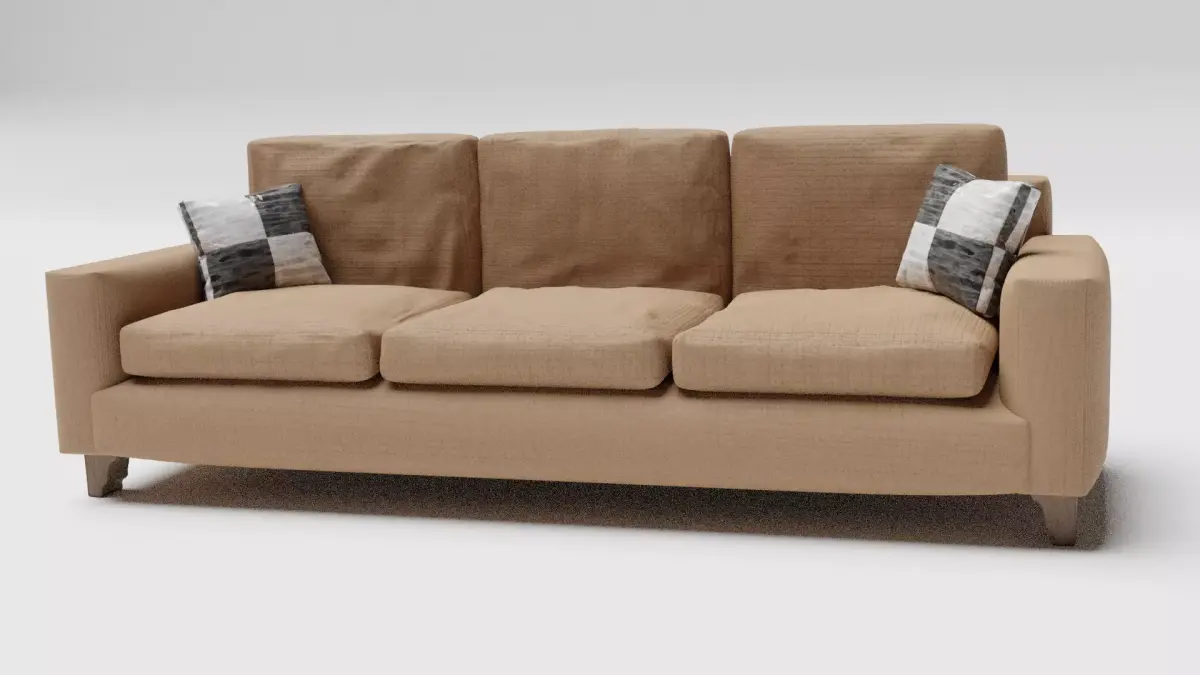
Download Soft Sofa Free low-poly 3D model
free
License: Royalty Free No Ai
Rigged
PBR
Realtime
Animated
Free
Renders and source materials belong to the author pushendra.
Specifications
- Platform
- cgtrader
- Animated
- Rigged
- 3D Print ready
- VR / AR / Low-poly
- PBR
- Textures
- Materials
- UV Mapping
- Polygons
- 16
- Vertices
- 64
- Geometry
- No N-gons | No faceted geometry | Manifold geometry |
Usage recommendations
Realtime rendering
✓
PC Game development
✓
Mobile Game Development
✓
VR/AR applications
✓
Visualisation
✕
Cinema
✕
Advertising
✕
3D Printing
✕
CAD Engineering
✕
E-Commerce & Interactive 3D Web
✓
FAQ
Is this a free 3D model?
Yes, this model is available for free.
How do I download this 3D model?
This model is available through the "Go to download" button on this page.
What license applies to this model?
This model comes with a Royalty Free No Ai license. See the seller's page (via "Go to download") for the full terms.
Does it include rigging and animation?
No animation, rig only. The exact technical parameters are listed in the Specifications block.
Does this model have UV mapping?
No, this model does not have UV mapping.
What textures and materials does this 3D model include?
This model has textures and materials, including PBR. The exact technical parameters are listed in the Specifications block.
Can I use it for 3D printing?
No, this model is not intended for 3D printing.
Additional information
This is a sofa model made in blender version 2.9. This model contains texture and shading beautifully. In this blender sofa modelling tutorial, we are going to take a cube and then we have scaled it to the perfect size. Then we added a cloth modifier to it to simulate cloth on our blender sofa base . Then we have duplicated the blender sofa base to make the back of the blender sofa.
Then we made cushions using cloth simulation. And then duplicated it several times to make other parts. Now it was time for the legs of the blender sofa, so we added a cube and bevelled it. Then we set the profile from super ellipse to custom. Then we added our custom shape.
Now for the details for our blender sofa, we used the cloth brush to add wrinkles to our blender sofa modelling and repeated the same process on every cushion.
Then we added two extra cushions and then we used a blender kit to import materials. Then we created the render setup for our blender sofa and our blender sofa is ready.
Then we made cushions using cloth simulation. And then duplicated it several times to make other parts. Now it was time for the legs of the blender sofa, so we added a cube and bevelled it. Then we set the profile from super ellipse to custom. Then we added our custom shape.
Now for the details for our blender sofa, we used the cloth brush to add wrinkles to our blender sofa modelling and repeated the same process on every cushion.
Then we added two extra cushions and then we used a blender kit to import materials. Then we created the render setup for our blender sofa and our blender sofa is ready.
Similar models
Find the models you need