
Publication date: February 11, 2020
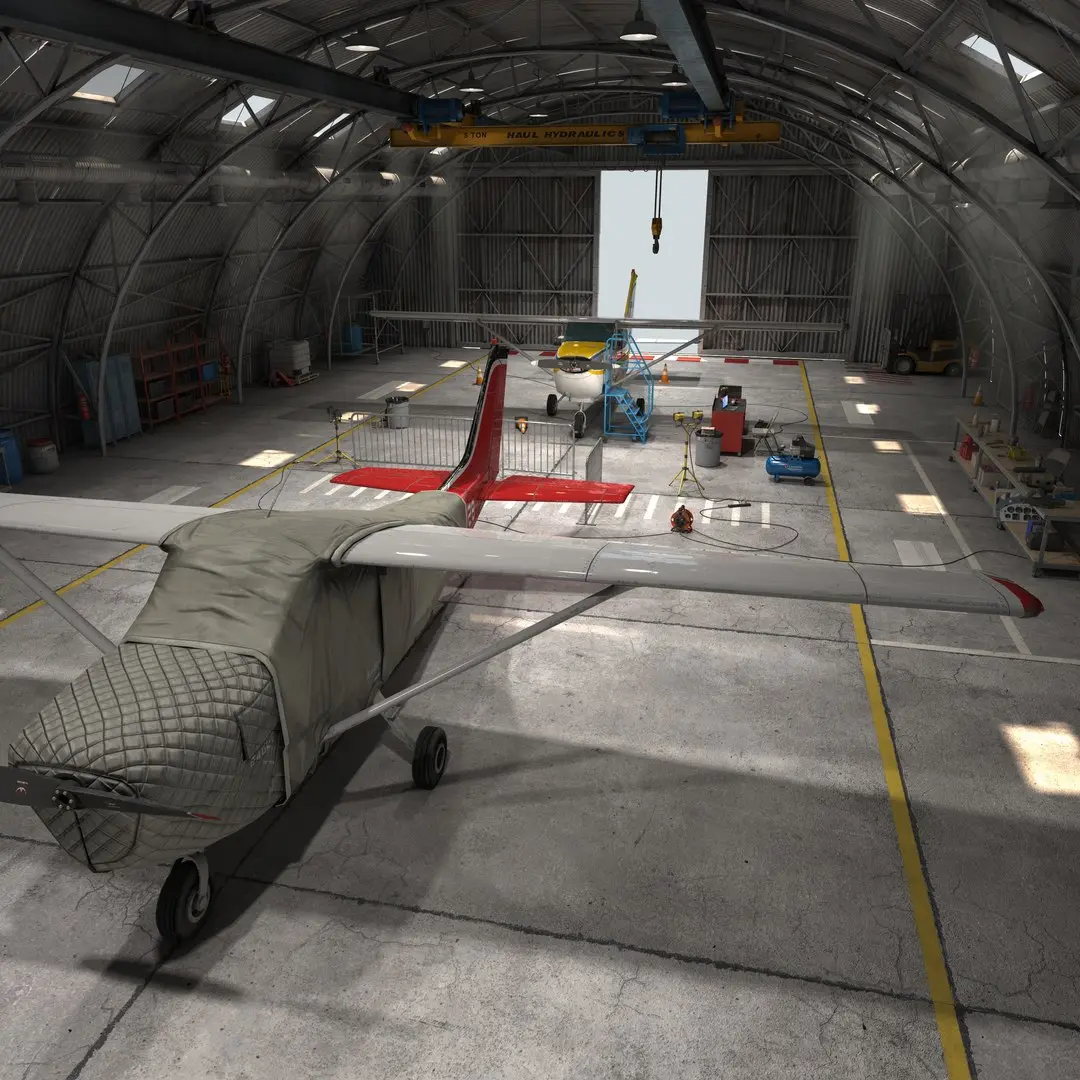
Buy Airplane Hangar 3D model purchase
$210
License: Editorial Uses Only
Rigged
PBR
Realtime
Animated
Free
Renders and source materials belong to the author Adrian Ciurea.
Specifications
- Platform
- turbosquid
- Animated
- Rigged
- 3D Print ready
- VR / AR / Low-poly
- PBR
- Textures
- Materials
- UV Mapping
- Polygons
- 120242
- Vertices
- 128297
- Geometry
- Unknown
Usage recommendations
Realtime rendering
✕
PC Game development
✕
Mobile Game Development
✕
VR/AR applications
✕
Visualisation
✓
Cinema
✓
Advertising
✓
3D Printing
✕
CAD Engineering
✕
E-Commerce & Interactive 3D Web
✕
FAQ
Is this a free 3D model?
No, this model costs $210.
How do I download this 3D model?
Use the "Go to purchase" button below to get this model.
What license applies to this model?
The Editorial Uses Only license applies to this model. More details are available via the "Go to purchase" button.
Does it include rigging and animation?
This model has no rig or animation. It is a static 3D object.
Does this model have UV mapping?
Yes, this model has UV mapping. Complete specs can be found in the Specifications block.
What textures and materials does this 3D model include?
This model has textures and materials. Complete specs can be found in the Specifications block.
Can I use it for 3D printing?
No, this model is not intended for 3D printing.
Additional information
- A scene representing an airplane hangar, made out of 120242 polygons in total (only quads and triangles);
- All of the 264 models in the scene (some may be replicated two times or more) are fully unwrapped, no overlapping, with one exception- the hangar's frames;
- There are 353 textures in total, between 2048/2048 and 8192/8192 pixels in size, with an average of three textures per one model: diffuse, reflection and normal;
- The 3d Max scene's sun orientation is linked with the god rays lights, so by moving the sun around, the rays of light that are coming through the skylights will move accordingly;
- The naming convention of the textures is exactly the same with the models and their material names in the 3d scene, in case of model repetition, an underscore _1, _2, _ ... is added to the model's name;
- All of the objects have their sizes reset to 100, and the objects touching the ground have their "move" z axis set to zero;
- The models respect their real-life sizes, and the names, brands and logos are fictive.
- All of the 264 models in the scene (some may be replicated two times or more) are fully unwrapped, no overlapping, with one exception- the hangar's frames;
- There are 353 textures in total, between 2048/2048 and 8192/8192 pixels in size, with an average of three textures per one model: diffuse, reflection and normal;
- The 3d Max scene's sun orientation is linked with the god rays lights, so by moving the sun around, the rays of light that are coming through the skylights will move accordingly;
- The naming convention of the textures is exactly the same with the models and their material names in the 3d scene, in case of model repetition, an underscore _1, _2, _ ... is added to the model's name;
- All of the objects have their sizes reset to 100, and the objects touching the ground have their "move" z axis set to zero;
- The models respect their real-life sizes, and the names, brands and logos are fictive.
Similar models
Find the models you need